
Editing still takes too long
Manual trimming, subtitle cleanup, transition setup, and export prep can turn a short video into a full day of work.
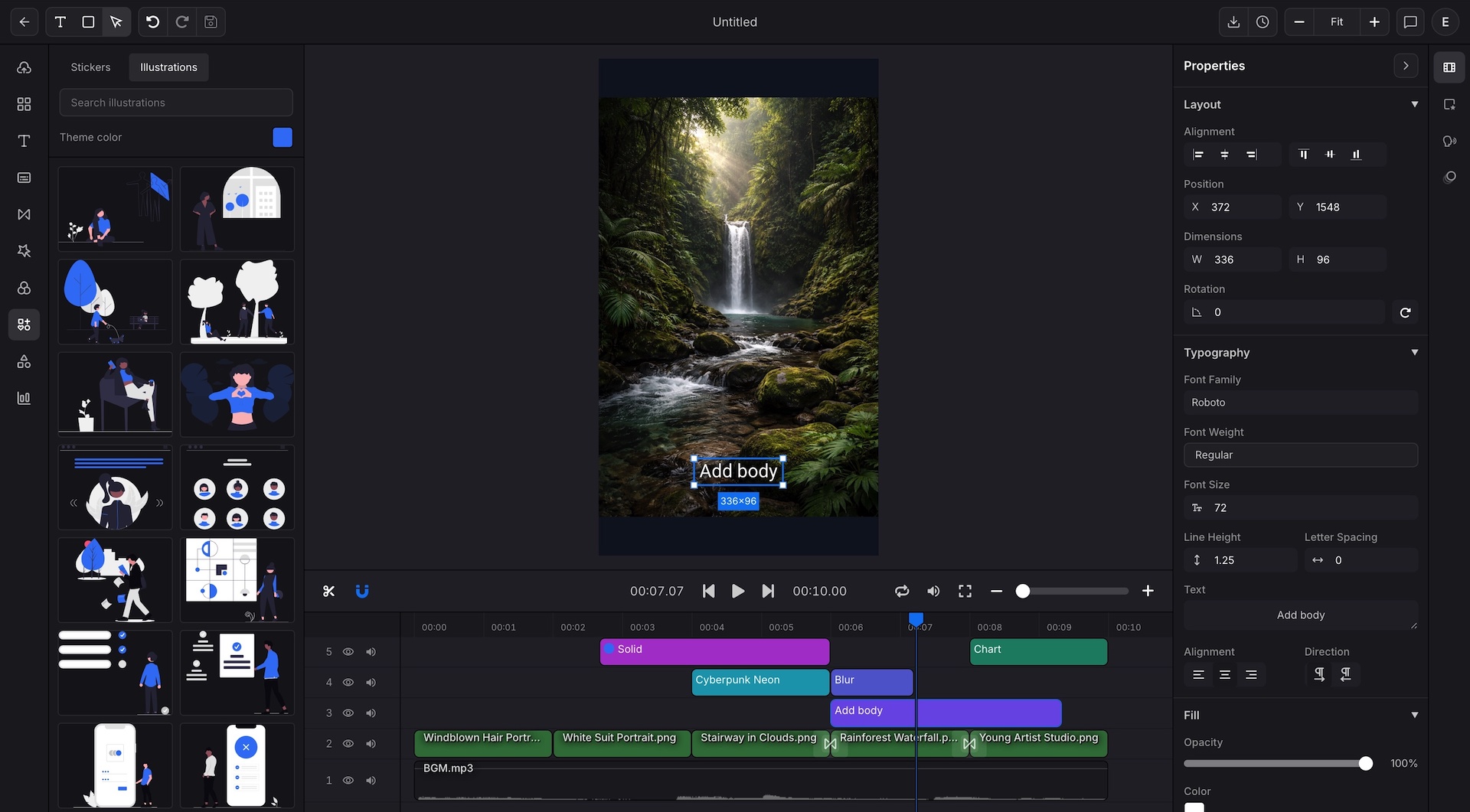
Use Indream in your browser to trim clips, style subtitles, add effects, animate charts, apply brand tools, and keep a clean path to API-ready video export.
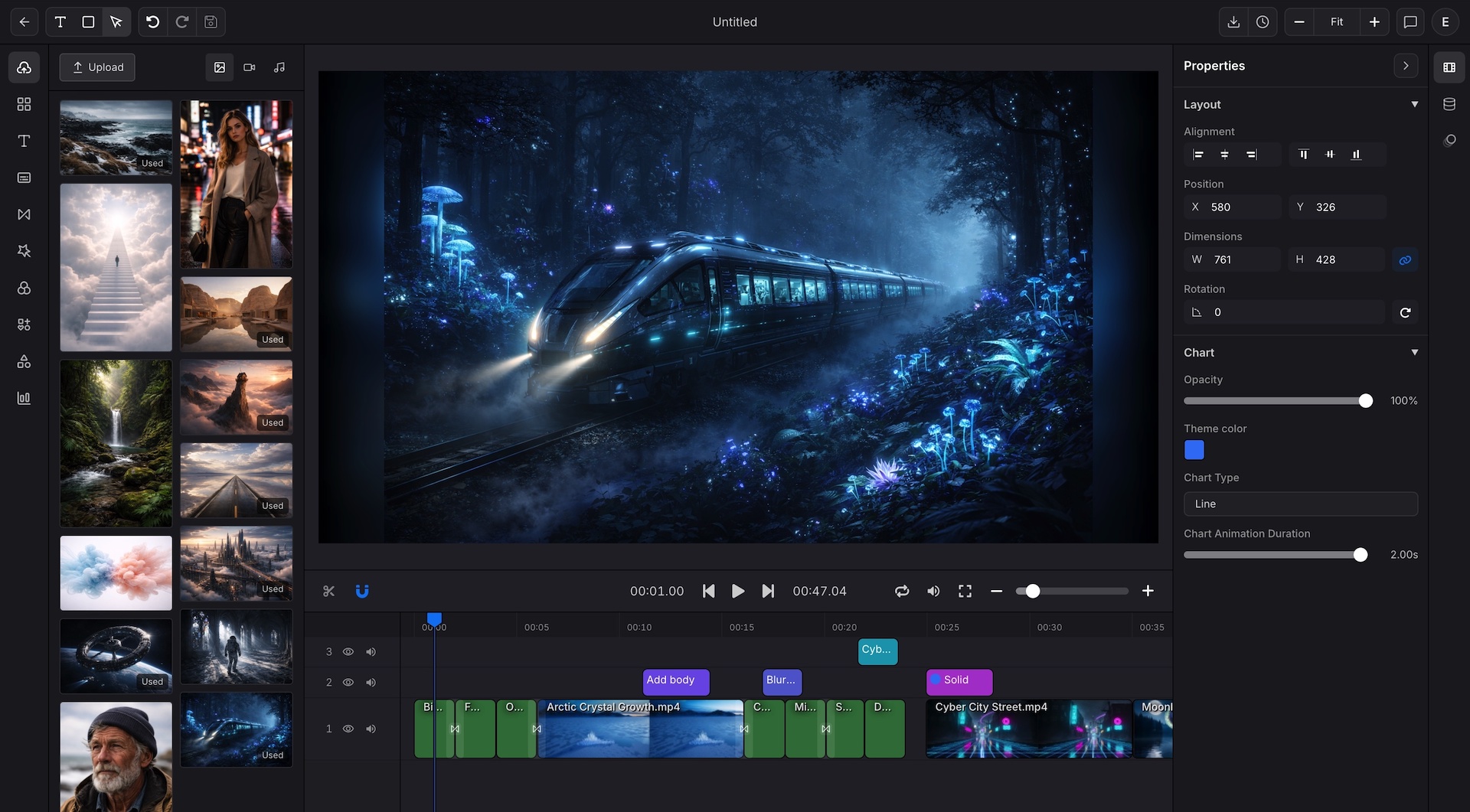
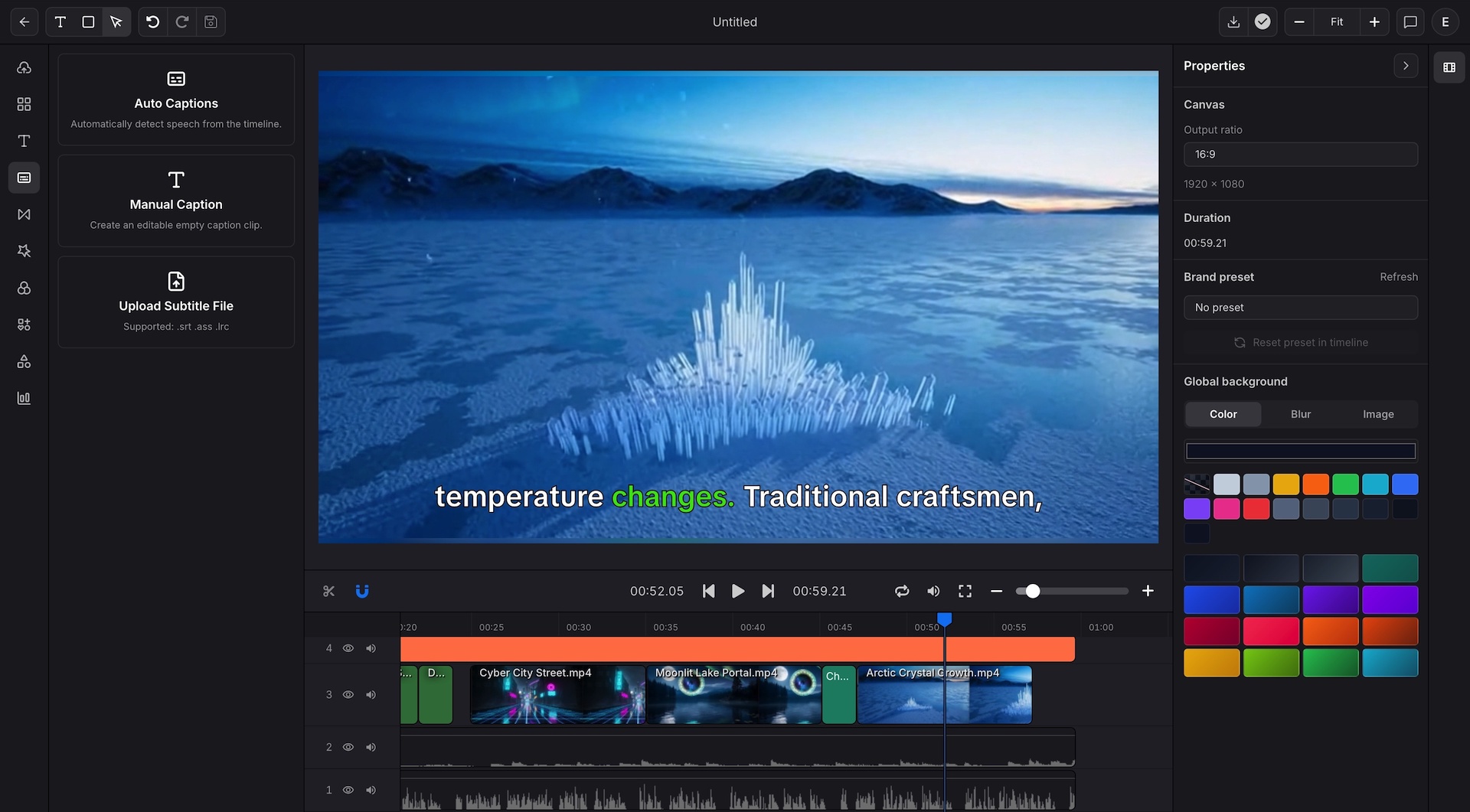
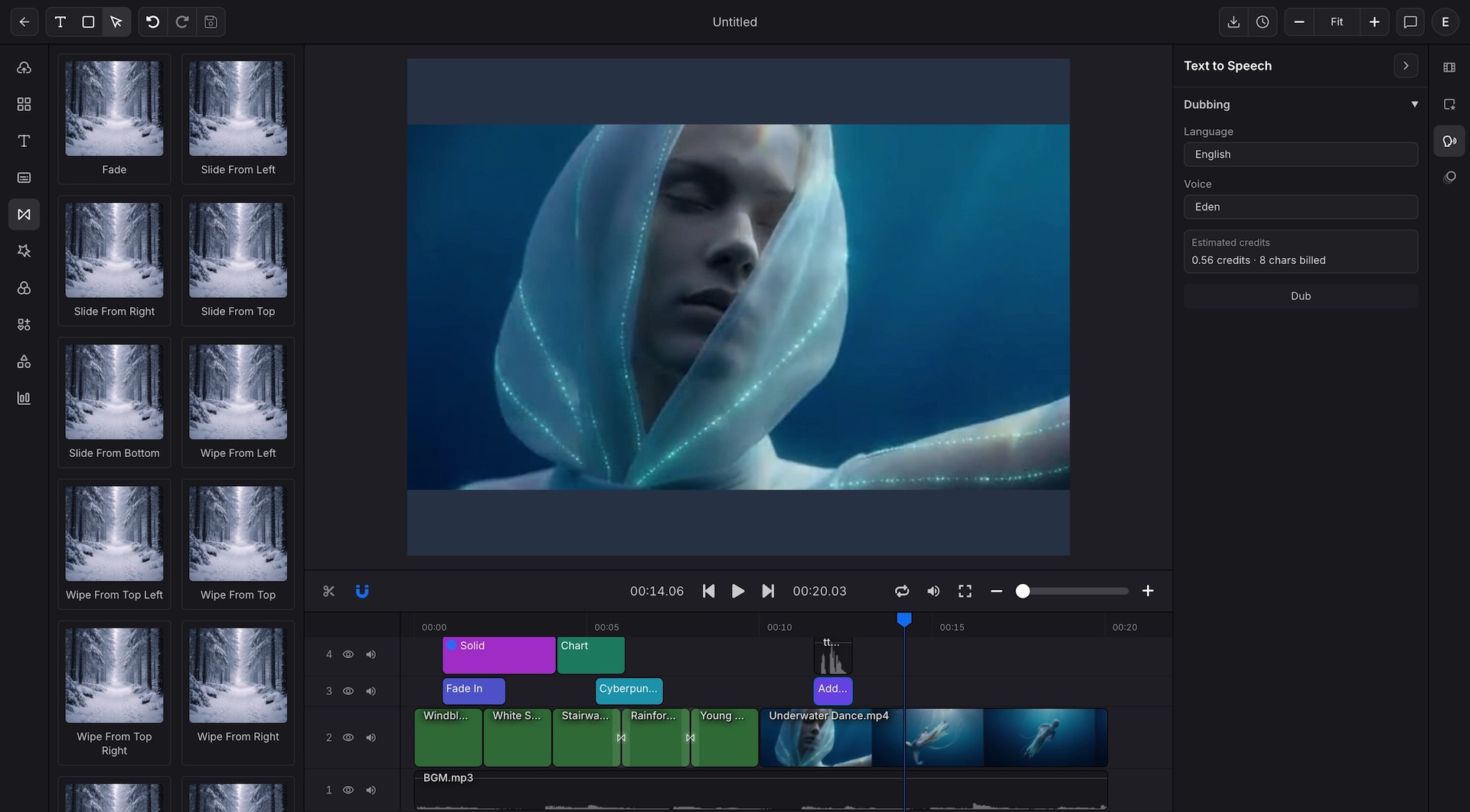
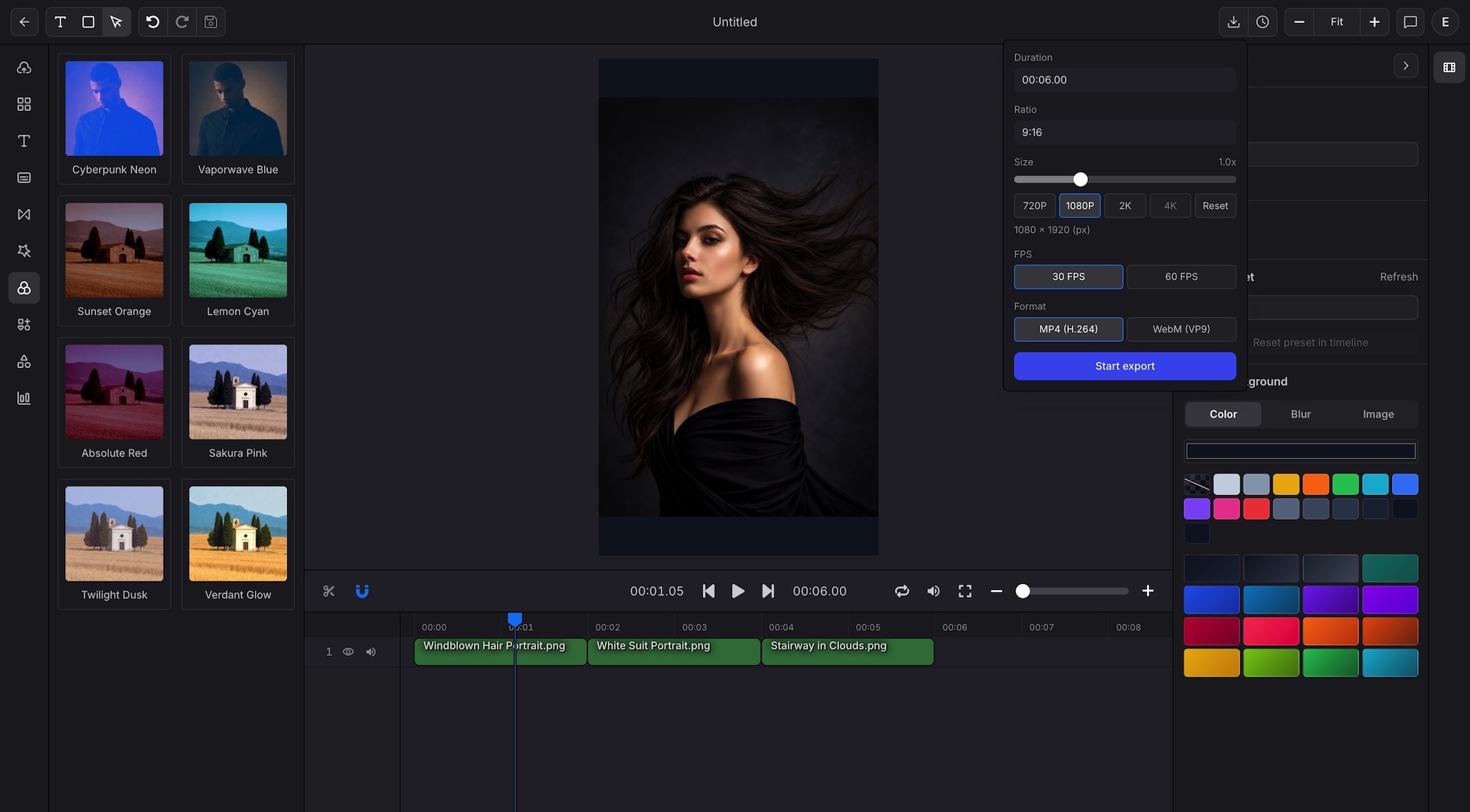
The right editor has to save time, stay easy to use, and still handle real production work when publishing volume grows.
Manual trimming, subtitle cleanup, transition setup, and export prep can turn a short video into a full day of work.
Many teams need polished results, but they do not want a long learning curve before the first useful edit.
Subtitle timing, style changes, and platform safe placement often force extra back and forth across tools.
Logos, fonts, colors, and opening scenes drift when every project starts from a slightly different setup.
Teams often build chart motion somewhere else, then lose time rebuilding those assets inside the final edit.
Once a format works, the next problem is how to move it into repeatable exports without rebuilding the scene logic.
This editor combines timeline editing, auto captions, effects, charts, brand controls, and API ready project structure in one browser workspace.
Best for
Creators making Shorts, Reels, product demos, and fast social edits
Marketing teams turning brand assets and metrics into repeatable video formats
Analysts who need chart scenes and supporting text in the same timeline
Product and engineering teams preparing templates for repeatable API delivery
Use one online video editor for captions, motion, chart scenes, brand control, and repeatable export workflows.
Generate captions, import subtitle files, and keep text edits close to the timeline.
Tune font, color, size, animation, and placement for readable social or report video.
Arrange video, audio, text, charts, and graphics with layered control in one workspace.
Use motion, filters, and scene polish to make each cut feel deliberate and clean.
Build line, bar, area, pie, radar, and scatter visuals directly inside the editor.
Keep logo, opener, closer, colors, and reusable scene structure consistent across projects.
Prepare landscape, square, vertical, and custom pixel outputs without rebuilding the layout.
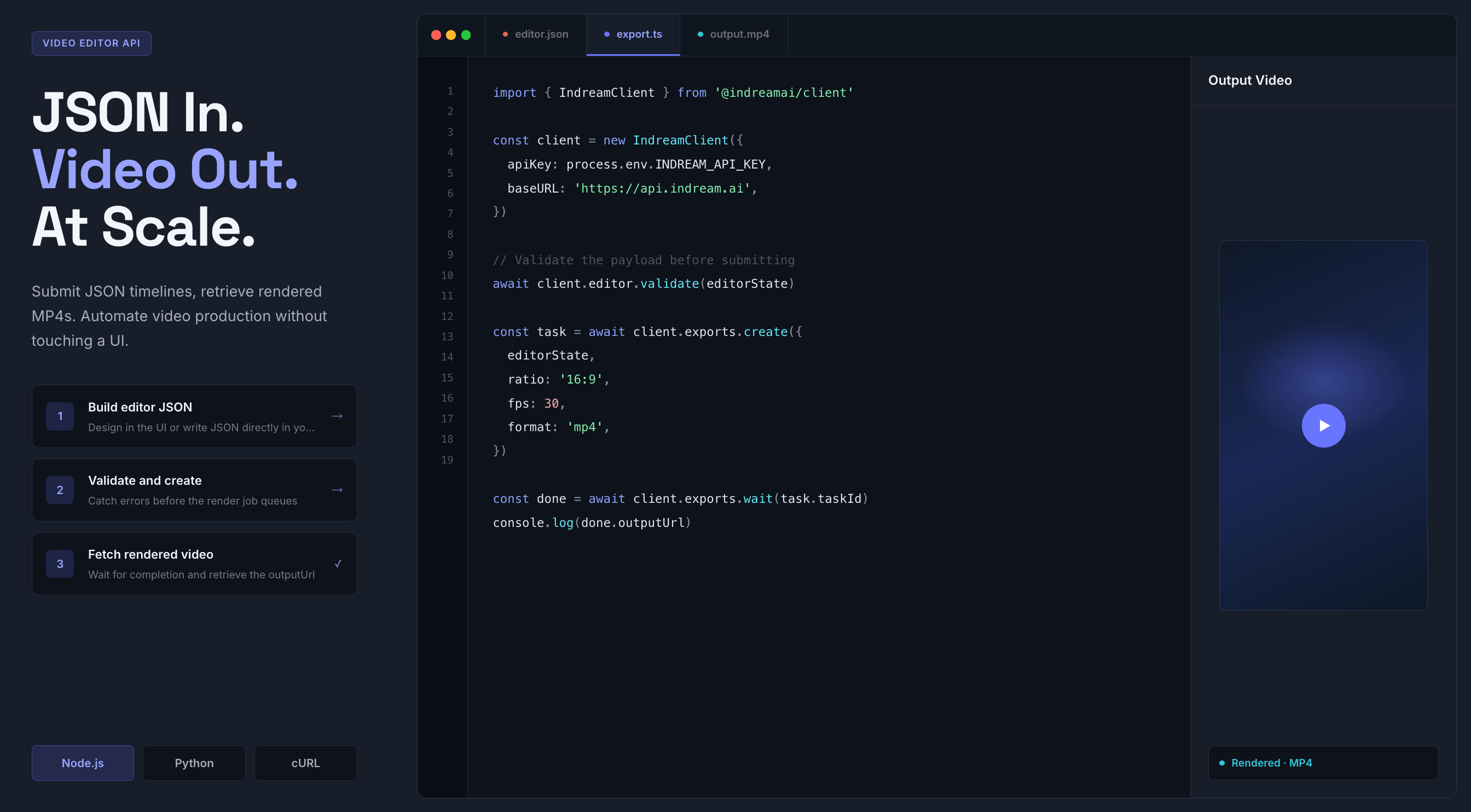
Move approved projects into editor JSON and batch rendering flows when output volume grows.
This editor covers the core production loop, from first subtitle pass to repeatable API output.
Captions
Bring subtitle work into the same place where you trim footage and arrange scenes, so you can fix timing, readability, and pacing in one pass.
Generate captions from video or audio without leaving the editor
Import subtitle files when the transcript already exists
Adjust font, color, size, spacing, and placement for each scene
Prepare readable subtitle styles for short form, demos, and explainers
Motion and control
Shape the pacing of each scene with layered media, precise timing, and motion controls that help the final cut feel considered instead of rushed.
Arrange video, audio, text, and graphics across layered tracks
Use transitions and effects to connect scenes with cleaner motion
Control timing and animation details from one editing surface
Keep audio, captions, and visual elements aligned during revision
Brand and export
Handle branded delivery and chart based storytelling without switching apps, which makes recurring updates and platform changes much easier to manage.
Add chart scenes for reports, product updates, and metric storytelling
Reuse logos, colors, and other brand settings across projects
Set square, vertical, landscape, or custom pixel layouts as needed
Export polished videos for social, reporting, demos, or overlays
Scale with code
Indream keeps the visual editor and API workflow close together, so a format that works for one video can become a repeatable template for many videos later.
Start with the visual editor when the scene still needs creative review
Export editor JSON when the structure becomes repeatable
Pass dynamic values and assets into API driven render jobs
Use the same format for personalized videos, catalogs, or recurring updates
The workflow starts visually, then stays flexible enough for repeat use when the format becomes part of a larger publishing system.
Bring in your clips, narration, visuals, or structured data, then set the canvas size that matches the channel or use case.
Shape the sequence, style subtitles, add effects, and keep logos, colors, and supporting visuals aligned with the story.
Render a finished video for immediate publishing or move the approved structure into editor JSON and repeatable automation.
The same editor can support fast creator work today and more structured production workflows later.
Create vertical videos, tutorials, explainers, and social clips with captions, motion, and clean exports.
Keep brand visuals consistent while producing launch videos, product updates, and campaign recaps.
Turn performance numbers into chart scenes that fit stakeholder updates, reports, and recap videos.
Use the visual editor as the template source, then hand the structure off to editor JSON and API driven export flows.
Start free with Indream, edit in the browser, and keep a clean path to repeatable video editor API workflows as production volume grows.
See how chart scenes turn into report video and transparent overlay workflows.
Learn how approved projects move from the visual editor into editor JSON and API execution.
See the broader developer workflow for validation, export delivery, and repeatable production.