Model fragmentation slows each project
Flux, Imagen, GPT Image, Ideogram, and Stable Diffusion each shine in different tasks, but separate products force teams to keep switching context.
Use Indream as your AI Image Generator for Flux, Imagen, GPT Image, Ideogram, Stable Diffusion, Seedream, and more, then keep moving into image to video and editor workflows when the project grows.
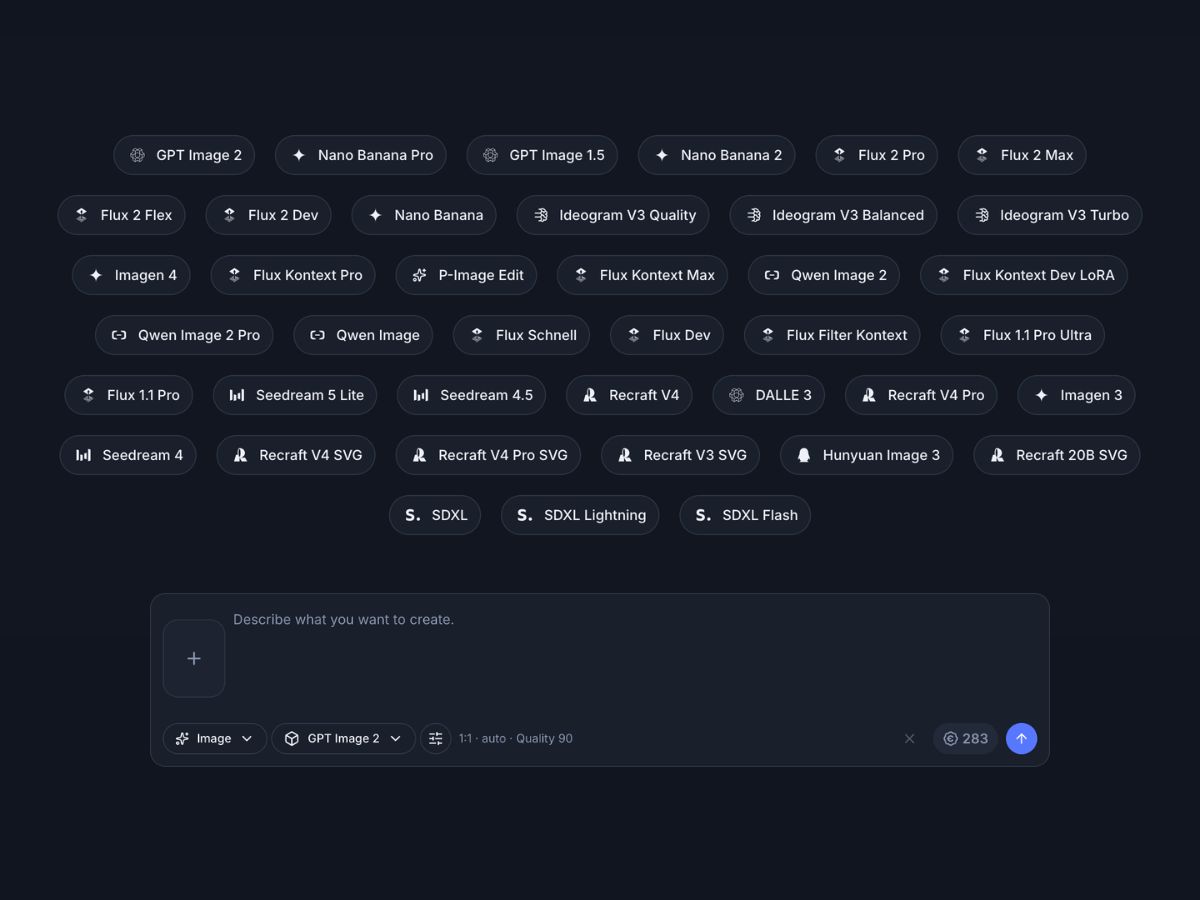
29 image models. Text and reference image inputs. Style and LoRA options.


The hardest part is not getting one image. The hard part is choosing the right model family, keeping visual direction consistent, and continuing the project without breaking the workflow.
Flux, Imagen, GPT Image, Ideogram, and Stable Diffusion each shine in different tasks, but separate products force teams to keep switching context.
Creative teams often pay for more than one image tool because no single model family handles every prompt and art direction equally well.
A prompt that needs typography, product polish, or character consistency may call for different model families, which raises the cost of trial and error.
Teams spend several rounds learning how a specific model interprets wording, style cues, and reference inputs before they reach a useful result.
Brand images, campaign sets, and repeated concepts drift when every asset comes from a different place with a different style system.
Once the image works, the next need is usually image to video, captions, timing, or export packaging, which many image tools do not keep close by.
This AI Image Generator brings model access, prompt based creation, reference image workflows, style controls, and the next video step into one closed loop so Indream can take a still image into a broader content workflow.
Best for
Creators who need an AI Image Generator for covers, thumbnails, posts, and story assets
Marketing teams that need more than one model family without paying for several disconnected tools
Designers who need faster concept exploration, references, and style variation in one place
Developers who want image generation today and a clean path into editor JSON and API workflows later
The current workflow covers the first prompt, the reference image path, the style layer, and the next move once the image is ready to become part of something larger.
Start from natural image prompts across a broad model catalog when the idea is still flexible and the right visual direction is not locked yet.
Use reference image inputs on supported models when the output needs stronger control from an existing visual, product, or subject.
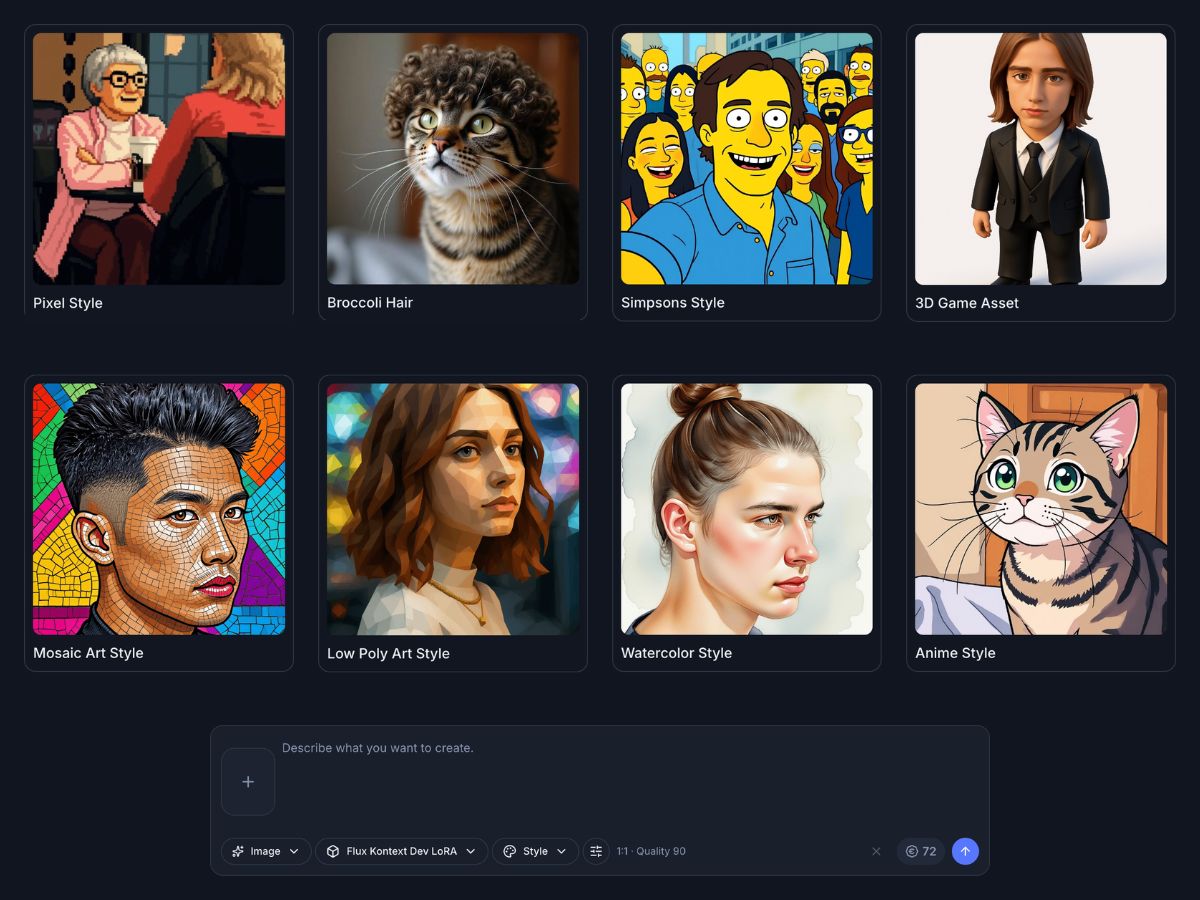
Supported image models expose style options and LoRA based controls so teams can push toward a more specific look inside the same generator surface.
The generator UI shows a credit estimate for the selected model and settings so you can check likely cost before starting the image run.
Flux, Imagen, GPT Image, DALL E, Ideogram, Stable Diffusion, Seedream, Qwen, Hunyuan, and more stay reachable from the same AI Image Generator workflow.
Keep prompts, reference inputs, styles, and image outputs inside one generator workflow instead of restarting from zero in a separate tool.
The same workflow supports fast idea exploration, marketing asset production, and visual inputs that later become motion content.
Create thumbnails, social posts, cover art, and supporting visuals without switching between several image products.
Generate campaign visuals, product images, and creative variations that can later feed broader content and ad workflows.
Explore references, mood directions, compositions, and style variations faster before the project moves into a more refined design stage.
Use one image workflow for demos and launches now, then connect approved assets into JSON and API based content systems later.
Keep product visuals, campaign sets, and brand direction closer together by working from one generator surface with repeatable controls.
Explore ideas, characters, and concepts with a simpler starting point than learning several separate tools at once.
Different image tasks call for different strengths. This workflow keeps the major families available from one product.
Use Flux when the job benefits from strong subject control, editing oriented image paths, and supported LoRA style options.
Use Imagen for clean lighting, polished realism, and current Google image model coverage in the same AI Image Generator surface.
Use GPT Image and DALL E when a task needs strong instruction following, image editing options, or a familiar OpenAI image path.
Use Ideogram when the result depends on stronger layout control, poster style composition, or image generation with text focused intent.
Use Stable Diffusion models when the workflow benefits from familiar open model families and flexible image generation options.
The catalog also covers Seedream, Qwen, Hunyuan, Alibaba, Tencent, and more so the workflow can stay current across several providers.
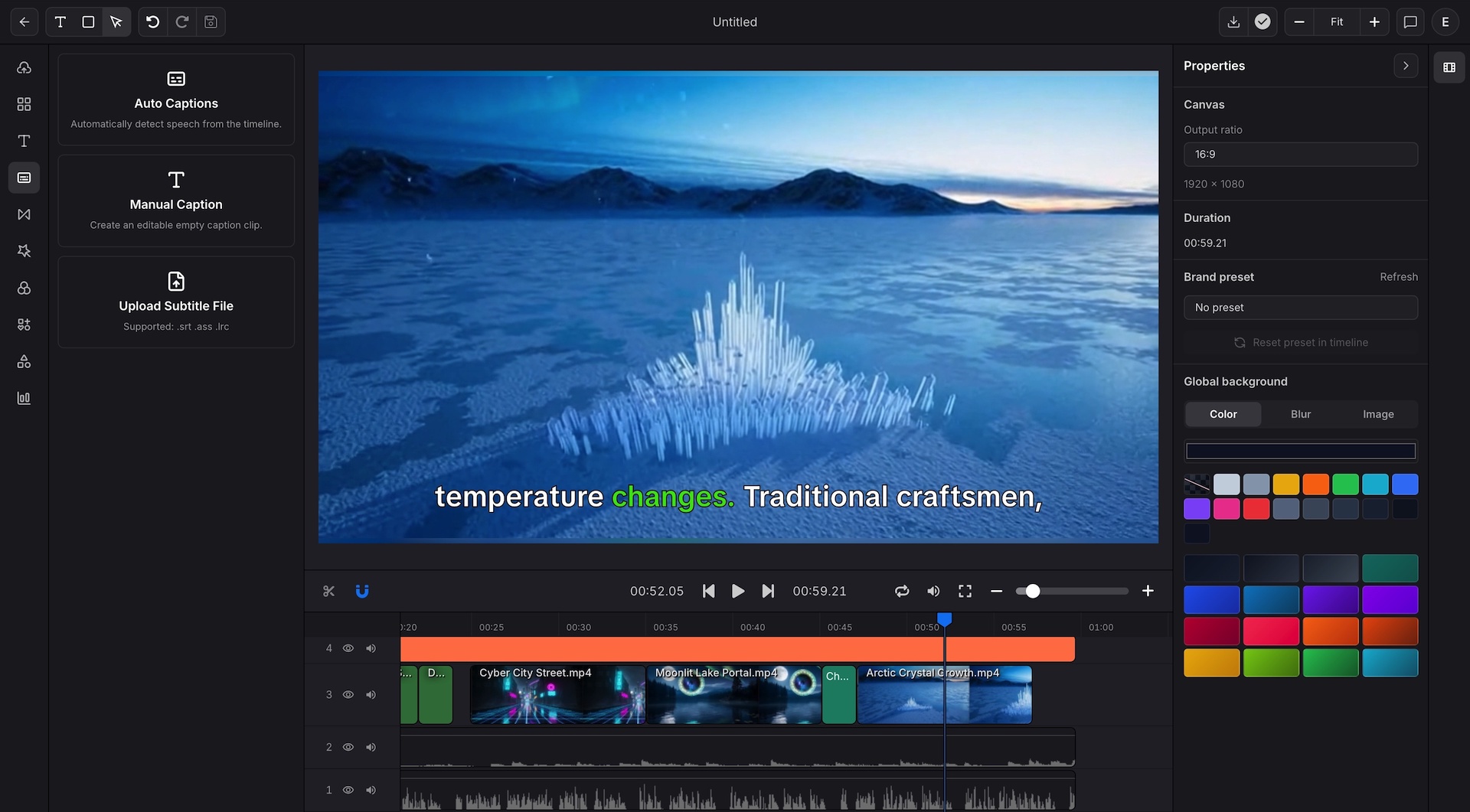
Once a still image works, many teams need the next move right away. They need image to video, captions, editing, export control, or a repeatable production path. Indream keeps that next step within reach.
Generate the image in the model family that fits the brief instead of locking the task into one provider
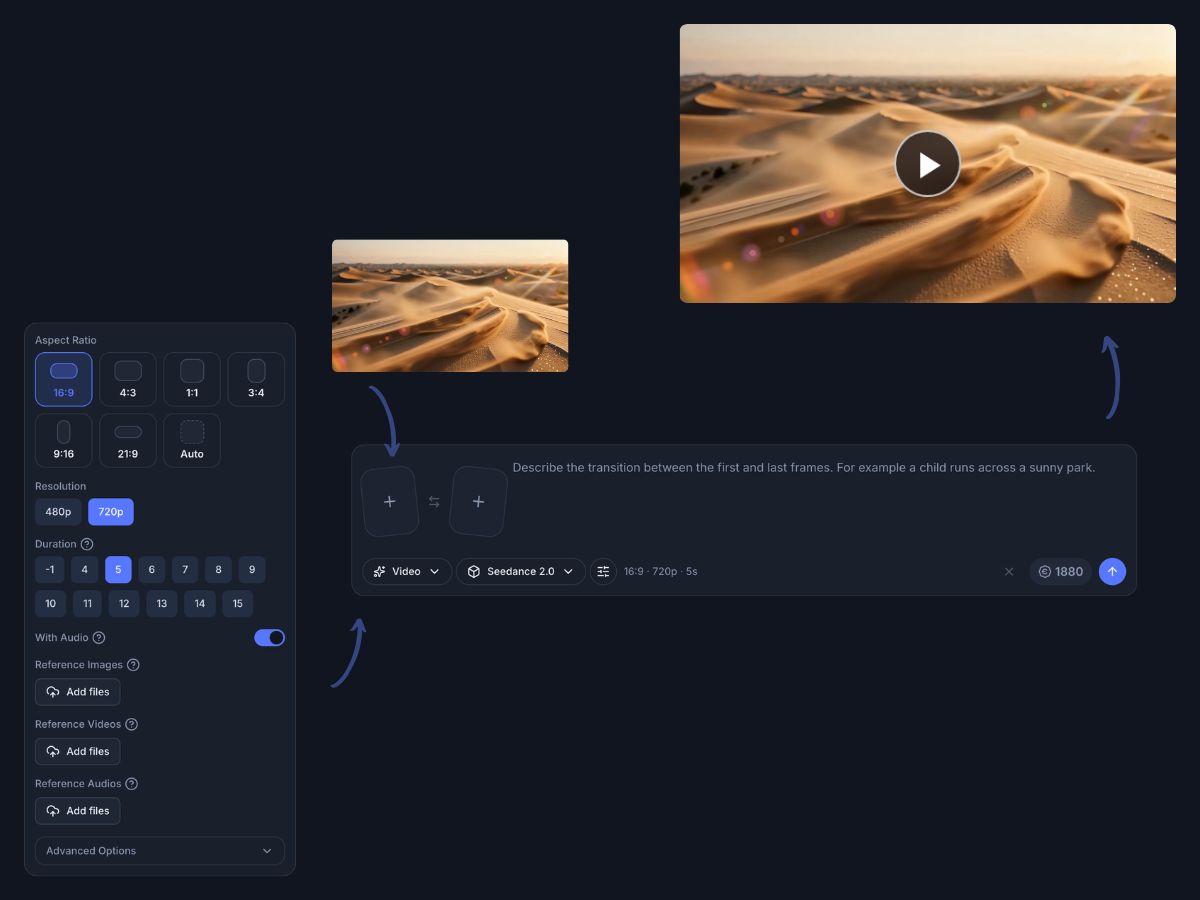
Move successful images into image to video or editor workflows when the project needs motion and packaging
Keep the project close to export, editor JSON, and API handoff when the workflow becomes repeatable
The strongest image workflow is not only about the first render. It is about what happens once you know which image is worth keeping.
Model access
Use one generator surface to move between image model families without relearning a new product every time the task calls for another output style or control path.
Browse a 29 model image catalog from one AI Image Generator
Start from text prompts and move into reference image workflows on supported models
Keep prompts and results in one workbench instead of restarting in a second product
Review image outputs before deciding whether the project needs another step

Reference and style control
Supported image models keep visual guidance, style choices, and LoRA based controls close to the prompt so teams can tune direction without leaving the same generator surface.
Guide supported models with reference image inputs when the prompt alone is not enough
Use style options to push the output toward a clearer look
Apply LoRA based controls on supported models for narrower visual direction
Keep image experimentation inside one workflow instead of splitting it across tools

Image to video path
A useful image often becomes part of a larger story. The broader workflow keeps the path to motion, captions, timeline editing, and final packaging close when the project grows beyond a still asset.
Move an approved image into image to video workflows when the concept needs motion
Keep generated assets close to captions, text, and timeline editing paths
Use the built in editor when the still image becomes part of a larger video sequence
Avoid breaking the workflow once the image becomes the start of richer content

Brand and developer handoff
Once image driven content becomes repeatable, the product provides a path into broader export and developer workflows without rebuilding the project structure elsewhere.
Keep brand aware packaging close to the editor path when the image becomes part of a video deliverable
Use the visual workflow while teams are still reviewing creative direction
Move approved project structures into editor JSON when the format stabilizes
Hand repeatable flows into API based rendering when output volume grows

The workflow starts with model and prompt choice, then stays connected to whatever the project needs next.
Start with a text prompt or a supported reference image path, then pick the model family and settings that fit the image you need.
Review the result, adjust the model family, reference path, style options, or LoRA settings, and keep refining within the same generator surface.
Keep the successful image ready for image to video, editor based packaging, or a larger JSON and API workflow once the project grows.
These points come directly from the current product surface, model configuration files, and editor capability documents.
The current image generator catalog includes 29 image model entries.
The workflow supports prompt based generation and reference image inputs on supported models.
Supported image models expose style options and LoRA based controls inside the generator.
The broader workflow keeps a path to image to video, editor packaging, editor JSON, and API handoff.
Use Indream to generate with major image model families, refine inside one workbench, and keep a clean path into image to video, editor, and API workflows when the project needs more.
See the video generation workflow when approved images need to become moving scenes.
See the editing workflow for captions, timeline control, charts, brand settings, and export polish.
See how approved project structures move into editor JSON and API driven rendering workflows.